

The image of a gnome chewing a cord has become a dreaded one for me. Mostly, it just signifies the annoyance of having to delicately reword my search or find another way to complete it. At the same time, though, it also gives me a sense of unease, thinking more broadly about how I am blocked from being able to access my own information. And I know I’m not alone in feeling this way.
The intention behind Securly is an important thing to consider. According to Vice Principal Jeffrey Lampi, Securly’s most important function is alerting teachers when a search may be concerning for a student’s health or safety.
“Usually [the alert is] for a class assignment, but sometimes it’s for a kid who’s struggling,” Lampi said. “We can identify what’s going on with the student, wrap some supports around them and get them in touch with somebody who can help. It’s been very useful. We’ve been able to identify students in crisis with this [system].”
However important this is, this monitoring could be done in other ways, such as regular check-ins with students. If someone searches something on a school computer rather than a personal device, knowing it will get blocked, it may signify that they want help and would be open to speaking with a school professional about it. This in-person connection may be even more valuable, catching issues in a more personalized, human way, rather than by a distant online system built without exceptions.
With the current software, the vast majority of cases when Securly pops up are for things that even administration knows shouldn’t be blocked. According to Principal Ashley Schwarzbek, a search doesn’t have to be an immediate “trigger” to get blocked. This leads to occasions in which searches that pose no obvious significant threat are still blocked, a major source of frustration for students.
“Sometimes those things that are blocked are tricky because the first thing on a page, or the primary thing of the website might be okay, but there’s something in there that the system is detecting… somewhere that we might not ever see,” Schwarzbek said.
Even if the search does have a “trigger word,” this is usually for an assignment or project. For example, when I searched for information about vapes for my health project, Securly wouldn’t let me access anything.
While the administration’s intent maybe good, this security has extended into censorship. Not only can this interfere with school projects, but it also maintains a sense that a technology system controlled by admin is in charge of deciding what students are able to learn about and “handle.” Students know that these “inappropriate” things exist—there are better ways to teach about them than making them off-limits.
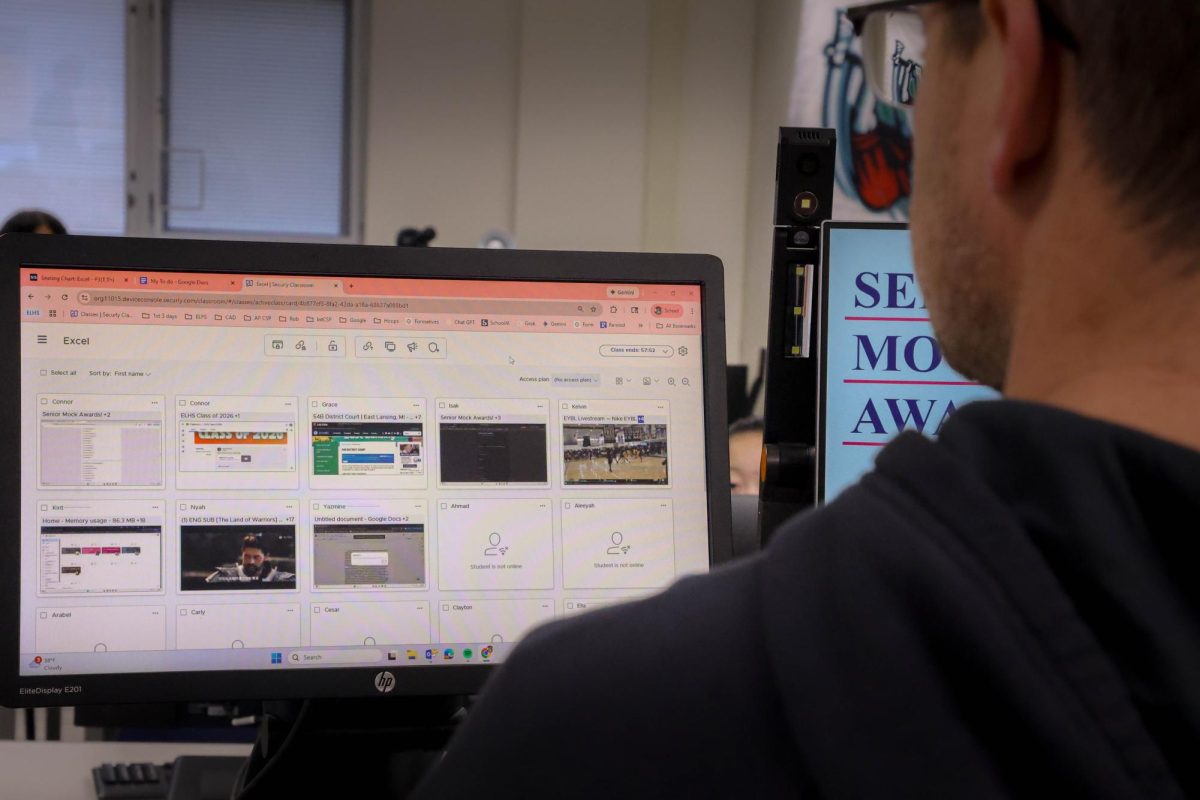
This violation is extended even further by the new policy this year, which allows teachers to view students’ tabs and control their screens to keep them on task. While the importance of having students pay attention in class is significant, there could be a more powerful lesson in having students get a bad grade if they aren’t doing the work on their computers. Otherwise, they will continue to find loopholes to get around the limits the school places on them.
The intended benefits of Securly don’t outweigh the larger issues of student agency over their own learning. Not all online security systems have to completely disappear, but students deserve to have their own voice in the information they can access and their right to privacy.